


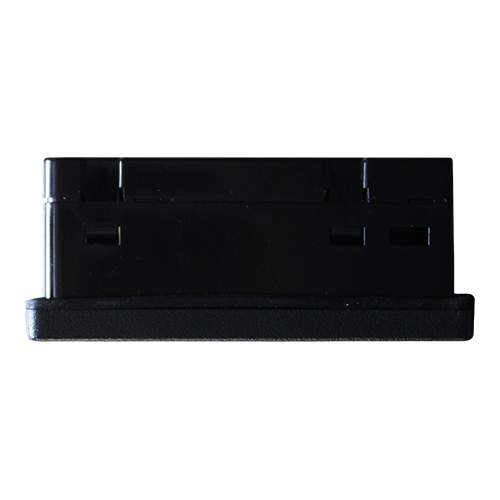
The Canvas 5 OCS, from Horner Automation, are all-in-one industrial automation controllers. They combine control, user interface, I/O, as well as networking into a single, integrated package. Unique features of the Canvas 5 OCS include:
- bright, 65K color graphical touch sensing LCD display
- display of complex graphical objects including trends, gauges, meters, and also animations
- high performance graphic processing
- advanced control capabilities including floating point, multiple auto-tuning PID loops, as well as string handling capabilities
- removable media for FAT32 format (up to 2TB) of storage of programs, data logging, or screen captures
- CsCAN networking port for communication with remote I/O, other controllers, as well as PCs
Advanced Features of Canvas 5 PLC / HMI
- online programming and MQTT support, as well as improved WebMI features
- all Canvas Series models include WebMI+, MQTT, Enhanced IEC, and SAE J1939 features included as standard
- high speed USB port for communication with PCs and programming of controller
- configurable serial protocols for communication to drives, PLCs, as well as other serial peripherals
- full featured automation controllers with built-in I/O including high resolution analog, high speed counter inputs, and PWM outputs
- advanced high speed I/O capabilities
- Cscape programming software that allows all aspects of the Canvas 5 OCS to be programmed and also configured from one integrated application
- on board Ethernet port (10/100Mbps) for Cscape programming and application defined communication, with Auto MDI/MDI-X
Networking Capabilities of Canvas 5 Automation Controllers
- (1) Built-in 10/100 Ethernet port
- (1) Integrated CAN port that supports either CsCAN, CANopen, SAE J1939, as well as DeviceNet Scanner

Standard Models of Canvas 5 Automation Controllers
| Model ID | Configuration |
|---|---|
| Canvas 5: HE-CV-043C-01 | No built-in I/O |
| All standard models are available for purchase through our online store. For special order options (adders), please contact our sales team (281) 491-3833 or sales@psctexas.com for pricing, ordering, and lead time support. | |
Special Order Options (Adders)
| Part Number Extension | Description |
|---|---|
| -10* | Thermistor option; add -10 to the part number for Thermistor support for Analog Inputs 1 & 2. |
| -14* | Thermistor option; add -14 to the part number for (4) Channel Thermistor support. |
| -33* | DeviceNet Master option; add -33 to the part number for DeviceNet Master Support (Polled & Explicit Connections only); also removes CsCAN support. |
| -44* | SAE J1939 option; add -44 part number extension for SAE J1939 communications; also removes CsCAN support. |
| -602* | Screw type I/O terminals. Replaces spring type terminals. |
| NOTE: Lead time on special order products is typically 4-6 weeks. | |
| *Not available for purchase on the web store; please contact us for ordering assistance. | |
Product Documents
Data Sheet