


Cscape 10 with Symbols, from Horner Automation, is an industrial automation programming software that combines graphical ladder diagram programming with operator interface development to completely integrate the control package. It is a straightforward approach to programming that combines logic with messaging in addition to networking. As a major new release, Cscape 10 features a redesigned user interface and among its dozens of improvements includes the newly developed Advanced Graphics Engine.
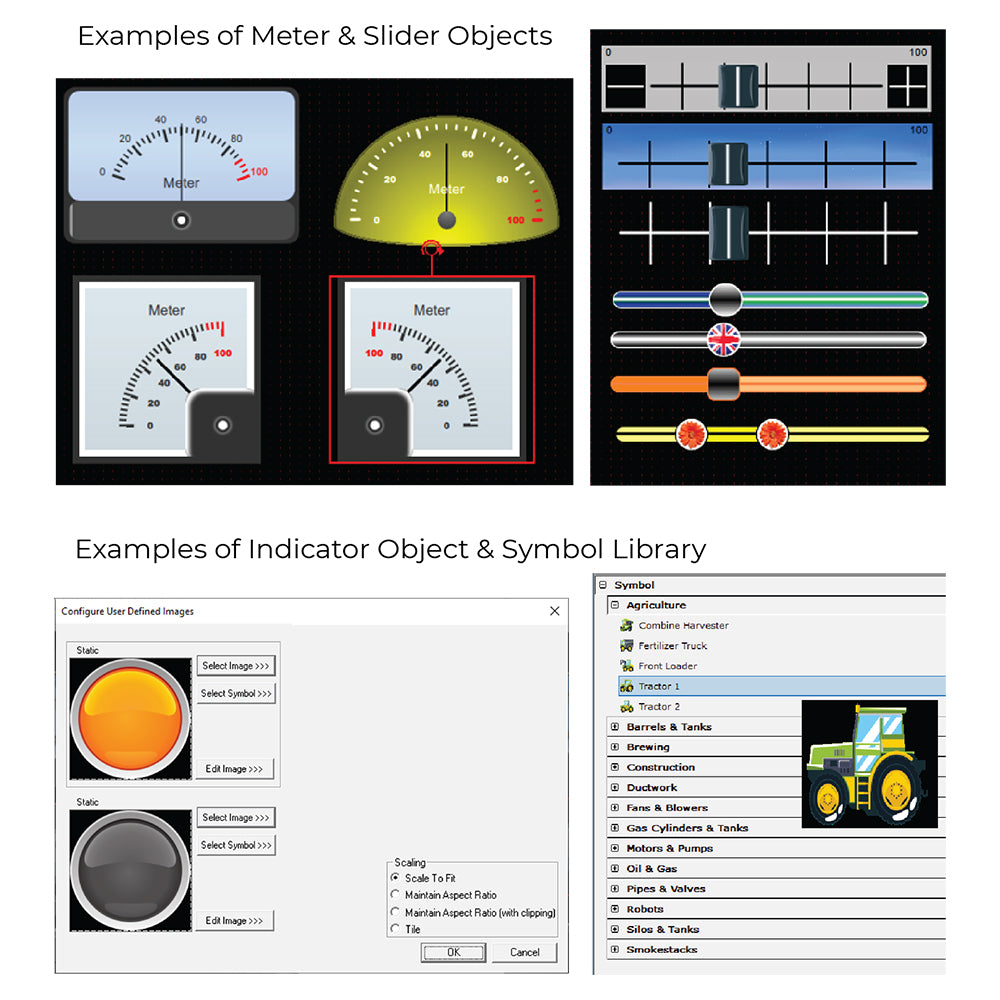
This Advanced Graphics Engine supports a number of graphic building blocks for user interface design that have been reimagined from the ground-up. These include Trend, XY Graph and Scatter Graph objects, a Recipe object, Alarm objects and a Video playback object, and also much more. Cscape 10 with Symbols Programming Software offers all the same features of the free version of Cscape 10 with the addition of a useful symbols library for advanced graphical control screens. A digital version is also available for purchase through Horner Automation.
Included in the Cscape 10 Release
- realistic graphics as well as improved ease of use with gesture support
- interactive trend object in addition to improved IEC61131 performance
- comprehensive debugging, extensive upgrades to tag-based languages
- high quality control panel visualization and object and also superior animation performance
- factory 4.0 protocol support (MQTT Sparkplug, RESTful Protocol, and Horner Push)
New Features of Cscape Programming Software

- User Interface Upgrades – Ribbon Bar, Editing in Tabs, Graphics Toolbox, Ladder Graphics, Combined Settings, Backup Improvements, New File Wizard, and also Project Navigator Updates
- Backward Compatibility
- Graphics Object Upgrades – Menu & Recipe Objects, Background Selection, Data Object, Indicator Object, Switch & Selector Object, Jump Object, Slider & Rotary Object, Trend & Graph Objects, as well as Video Object and more!
- Extensive Symbol Library
- Language Support
- WebMI Plus – Web Designer Models, Configuration
- Canvas Series Product Licensing - After purchasing, link to download can be found under your "My Account > Downloads" section, then click "Cscape with Symbols" under File Name to initiate download. You will also receive a link in your order confirmation email where you can download the files.
Within the Cscape with Symbols programming software, objects are fully editable, scaleable, and configurable. Symbols are easy to add and are completely accessible via the "Tools Menu" using the "View and Edit Graphic Pages" option within Cscape.
Cscape 10 with Symbols PLC Programming Software
- 4000 object symbol library
- symbols include categories such as:
- manufacturing - for example: chemicals, food production, and more
- panels
- plant facilities, process heating, as well as HVAC
- water / wastewater
- Plus 55 more categories!
Cscape PLC Software Options
| Installation Options | Description |
|---|---|
| Cscape 10 | Download Cscape 10 for Free |
| Cscape 10 with Symbols | Digital Download for the Paid Version of Cscape 10 with Symbols and Graphics Library |
| Cscape 10 with Symbols on a Flashdrive | Purchase Cscape 10 with Symbols on a Flash Drive for Accessible Installation |
Product Documents